
Download Pathway – Efficient UX Validation, Unmoderated Research, Multilingual Insights
Introduction: Why Unmoderated UX Research Matters Today
In the rapidly evolving world of digital products, time‑to‑market is often the decisive factor between success and obscurity. Traditional moderated usability labs, while valuable, introduce scheduling friction, geographic constraints, and high per‑session costs. Modern product teams need a solution that captures authentic, in‑the‑wild user behavior without forcing participants into rigid time slots. This is where unmoderated research platforms shine: they let users engage on their own devices, in their natural environment, while still delivering rich qualitative and quantitative data to designers and product managers.
Pathway was built to address exactly these challenges. By leveraging cloud‑based infrastructure, AI‑enhanced questioning, and a robust multilingual engine, Pathway empowers organizations to launch studies in minutes, reach global audiences instantly, and iterate faster than ever before. Whether you’re a startup testing a minimum viable product or an enterprise refining a complex SaaS suite, the platform’s flexible architecture scales to meet your research needs. Moreover, its emphasis on security and GDPR compliance ensures that sensitive participant data remains protected, giving both researchers and users peace of mind.
The following sections dive deep into Pathway’s core capabilities, step‑by‑step onboarding, compatibility across devices, a balanced look at its strengths and weaknesses, and answers to the most common questions asked by new users. By the end of this review, you’ll have a clear picture of whether Pathway is the right tool to accelerate your UX validation workflow.
Overview of Pathway
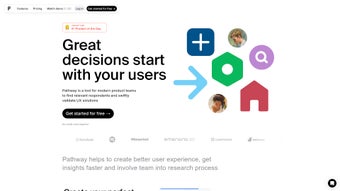
Pathway is a modern, unmoderated research platform designed to help product teams validate user‑experience (UX) concepts quickly and securely. In today’s fast‑paced development cycles, gathering real‑world feedback without the overhead of scheduled sessions can be a game‑changer. Pathway streamlines the entire research workflow—from recruiting the right participants to delivering actionable insights—so designers, product managers, and developers can iterate with confidence. The platform supports a variety of research methodologies, including usability tests, surveys, and asynchronous user interviews, all of which can be launched with a few clicks.
What truly sets Pathway apart is its multilingual capability, enabling teams to conduct studies in dozens of languages, and its powerful AI‑driven question engine that automatically crafts context‑aware prompts based on the study’s goals. With more than 400 granular filters for respondent selection, Pathway guarantees that feedback comes from the exact audience you need—whether you’re targeting power users, new adopters, or a specific demographic segment. In short, Pathway is the essential tool for any organization that prioritizes user‑centered design and wants to accelerate the feedback loop without sacrificing depth or quality.
The platform’s intuitive dashboard, real‑time analytics, and seamless integration with popular project‑management tools further reduce the friction between research and development. By providing a single source of truth for participant data, Pathway helps eliminate duplicated effort and ensures that insights are actionable the moment they’re collected. Whether you’re planning a quick usability sweep or a comprehensive global study, Pathway’s flexible architecture adapts to the scale and complexity of your research objectives.
Key Features, Installation & Compatibility
Core Features that Drive Insightful UX Research
- Unmoderated Testing: Launch usability tests that participants can complete on their own schedule, reducing coordination costs.
- Multilingual Support: Conduct studies in over 30 languages, expanding reach to global audiences.
- AI‑Generated Contextual Questions: The built‑in AI suggests relevant follow‑up queries based on participant behavior, deepening the quality of insights.
- 400+ Respondent Filters: Filter participants by demographics, device type, usage frequency, and more for precise targeting.
- Survey Builder: Drag‑and‑drop interface to create custom surveys that integrate seamlessly with usability tests.
- Asynchronous Interviews: Record video or text responses at participants’ convenience, capturing richer qualitative data.
- Real‑Time Analytics Dashboard: Visualize completion rates, heatmaps, and sentiment analysis as data streams in.
- Secure Data Handling: End‑to‑end encryption and GDPR‑compliant storage keep participant information safe.
- Integration Hub: Connect Pathway with popular product tools such as Jira, Trello, Slack, and Confluence for automated workflow updates.
- Export Options: Download raw data in CSV, JSON, or integrate via API for deeper analysis in tools like Tableau or Power BI.
Installation & Quick‑Start Guide
Pathway is delivered as a cloud‑based SaaS solution, which means there’s no traditional installation process. Getting started is as simple as signing up for an account on the official website. Follow these steps to begin:
- Visit Pathway’s homepage and click “Start Free Trial.”
- Enter your business email, create a secure password, and verify your account via the confirmation link.
- After logging in, the onboarding wizard walks you through creating your first project—choose a template (Usability Test, Survey, or Interview) that matches your research goal.
- Define your target audience using the 400+ filters. For example, you can select “iOS users aged 25‑34 who have installed the app within the last 30 days.”
- Activate the AI question generator to automatically generate contextual prompts, or manually add custom questions.
- Publish the study and share the generated link via email, social media, or embed it directly into your product.
- Monitor responses in real time on the dashboard, and once the study concludes, export the results for deeper analysis.
Operating System & Device Compatibility
Pathway’s web interface is fully responsive and works across all major browsers (Chrome, Firefox, Safari, Edge) on Windows 10/11, macOS Monterey and later, as well as Linux distributions. Because the platform is cloud‑based, participants can join studies from any device—desktop, tablet, or smartphone—running iOS, Android, or even smart‑TV browsers. The asynchronous interview module includes a native mobile app for iOS 14+ and Android 9+, allowing participants to record video responses directly from their phones. This broad compatibility ensures that you can reach users wherever they are, while maintaining a consistent experience for both researchers and respondents.
Pros, Cons, and Frequently Asked Questions
Pros
- Fast, unmoderated research eliminates scheduling bottlenecks.
- AI‑driven question generation saves time and improves insight depth.
- Extensive multilingual support makes global testing effortless.
- Rich filtering options ensure highly targeted participant pools.
- Secure, GDPR‑compliant data handling builds trust with participants.
- Seamless integration with popular project‑management tools streamlines workflows.
- Real‑time analytics provide immediate visibility into study health.
- Export flexibility (CSV, JSON, API) supports downstream analysis.
Cons
- Being a SaaS platform, it requires a reliable internet connection for both researchers and participants.
- Advanced AI features are only available on higher‑tier plans.
- While the UI is intuitive, new users may need a brief learning curve to master the full filter set.
- Exporting large datasets can take additional processing time during peak usage.
- Pricing may be a barrier for very small teams or solo freelancers.
FAQ – Your Pathway Questions Answered
Is Pathway free to use?
Pathway offers a 14‑day free trial with full feature access. After the trial, you can choose from tiered subscription plans that suit teams of any size. A basic plan starts at $49 per month, while enterprise options include custom pricing, dedicated support, and on‑premise deployment options.
Can I run a study in multiple languages simultaneously?
Yes. Pathway’s multilingual engine lets you create a single study with parallel language versions. Participants see the interface in their preferred language, and all responses are automatically consolidated for unified analysis.
How does the AI question generator work?
The AI analyzes the study’s objectives, participant behavior, and any open‑ended responses in real time. It then suggests follow‑up questions that probe deeper into user motivations, pain points, or satisfaction levels, which you can accept, edit, or discard.
Is participant data kept confidential?
Absolutely. Pathway uses AES‑256 encryption for data at rest and TLS 1.3 for data in transit. All personal identifiers are anonymized in exported reports unless you explicitly opt‑in to retain them for follow‑up studies, in compliance with GDPR and CCPA regulations.
Can Pathway integrate with my existing analytics stack?
Yes. Pathway provides RESTful APIs, webhooks, and native connectors for platforms like Google Analytics, Mixpanel, and Segment. This enables automatic syncing of participant demographics and test results with your broader data lake.
Overall, Pathway delivers a robust, user‑friendly solution for unmoderated UX research. Its AI‑enhanced question engine and multilingual capabilities make it stand out in a crowded market. While the pricing for premium AI features may be a consideration for smaller teams, the depth of insight and speed to market justify the investment for most product organizations.
Conclusion – Start Validating Your UX Today
In a world where product cycles shrink and user expectations rise, having a reliable, fast, and secure way to validate UX decisions is no longer optional—it’s essential. Pathway equips product teams with everything they need to recruit the right participants, run diverse unmoderated studies, and extract actionable insights—all without the logistical overhead of traditional labs.
Its AI‑driven questioning, extensive filter library, and multilingual support empower global teams to iterate faster and with greater confidence. The real‑time analytics dashboard keeps stakeholders informed, while the seamless integration hub ensures that research outcomes flow directly into development backlogs. For organizations that value data privacy, Pathway’s end‑to‑end encryption and GDPR compliance provide the assurance required to collect and store user feedback responsibly.
If you’re ready to accelerate your design feedback loop, improve conversion rates, and build products that truly resonate with users, download Pathway now and claim your free trial. Experience the seamless blend of powerful research methodology and modern usability—your next breakthrough UX insight is just a click away.



.png)



